


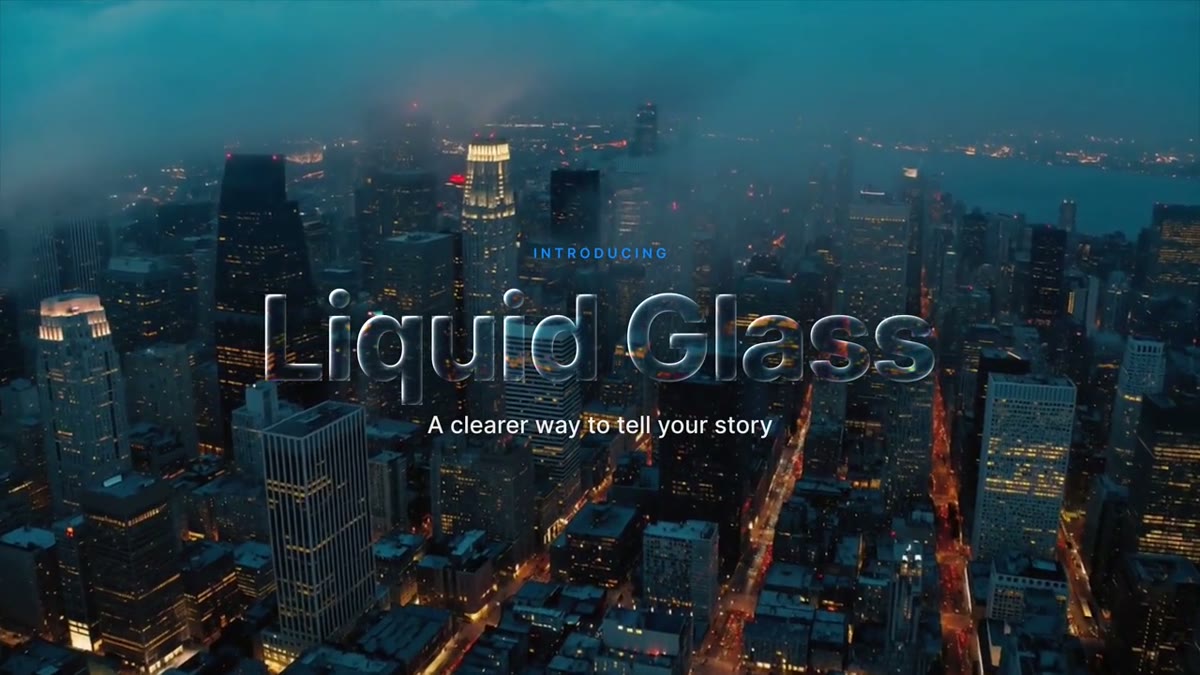


About this pack
Thirteen templates built around one glass look. Each panel works like a thick piece of clear glass: it bends the shot at its edges, magnifies it slightly, splits the colors where it bends and catches a rim light from the top left. Frost and Opacity sliders take it from clear to frosted to solid when a shot needs more contrast. One set of style controls in the After Effects project (frost, opacity, dark mode, tint, accent, refraction, edge width, lens zoom, color separation, rim light and shadow) restyles all thirteen at once. In Premiere, each template has a Background clip slot: drop the same clip in and the glass works on that clip. Leave it empty and you get smoked glass.
Questions
Why does the glass need a Background clip in Premiere?
Premiere renders a motion graphics template on its own, so it can't see the clip on the track below. Each glass template has a Background clip slot: drag the same clip from the Project panel onto it, match the in point, and the glass bends that clip. Leave the slot empty and it switches to smoked glass, a solid, readable panel. The download includes a short how-to, and the guide on this site walks through it.
Can I buy one template from the kit?
No. The Liquid Glass Kit is sold as one pack of all thirteen templates. It's also included in LaunchFrame Unlimited. One of the thirteen, the Liquid Glass Pill, is free on its own when you join the email list.
Will it play back smoothly?
Glass is heavy: each template bends the whole slotted clip at 4K. While you edit, set playback resolution to 1/2 or 1/4 and render previews over the graphic. Lowering Refraction or Color separation makes previews faster.
Can I trim them to any length?
Yes. The in and out animations are protected and always play at full speed; trimming only changes the hold in the middle. At the template's own 10-second length the slotted clip stays frame-accurate with your shot. Stretched longer, Premiere may retime the slotted clip so it drifts from your shot. Clear glass shows that more than frosted glass does, so on fast motion keep the graphic at 10 seconds or less, or raise Frost.
What do I need?
Premiere Pro 2023 or newer for the .mogrt files, or After Effects 2023 or newer for the project. No plugins. In After Effects no slot is needed: put your footage in the Background Clip layer. The font is Inter, free and included.
Can I use them in client work and monetized videos?
Yes. Use them in unlimited personal and client videos, including monetized, broadcast and paid projects. You can't resell or share the template files themselves.
What if it doesn't work for me?
Email hello@launchframe.io within 14 days and I'll fix it or refund you.
- Formats
- Premiere Pro .mogrt, After Effects .aep
- Software
- Premiere Pro 2023+, After Effects 2023+
- Resolution
- 3840 × 2160 (4K), scales to any sequence
- Length
- 10 s, trims to any length: protected in and out
- Plugins
- None
- Fonts
- Inter (free, included)
Guides for this
- How to make Apple's Liquid Glass effect in After EffectsBuild Apple's Liquid Glass look in After Effects from built-in effects: a height map, Displacement Map lensing, per-channel color fringes and a rim light.
- MOGRT templates: what they are and how to use themMOGRT templates explained: what a .mogrt file is, how to install one in Premiere Pro, what you can edit, and how to fix missing fonts and slow playback.
- A glass lower third that actually frosts the videoA glass lower third for Premiere Pro that blurs, brightens and saturates your shot through its Background slot. Frost and tint controls; fits your text.
- Liquid glass templates for Premiere ProApple-style liquid glass in Premiere Pro: a free Liquid Glass Pill and a 13-template kit that bend your real footage. 4K, no plugins, Premiere 2023+.
- Animated title templates for Premiere ProAnimated Premiere Pro titles as .mogrt files: a light sweep reveal, a glitch decode, a chapter card and glass letters. Type your text and drop it in.