Liquid glass is not frosted glass
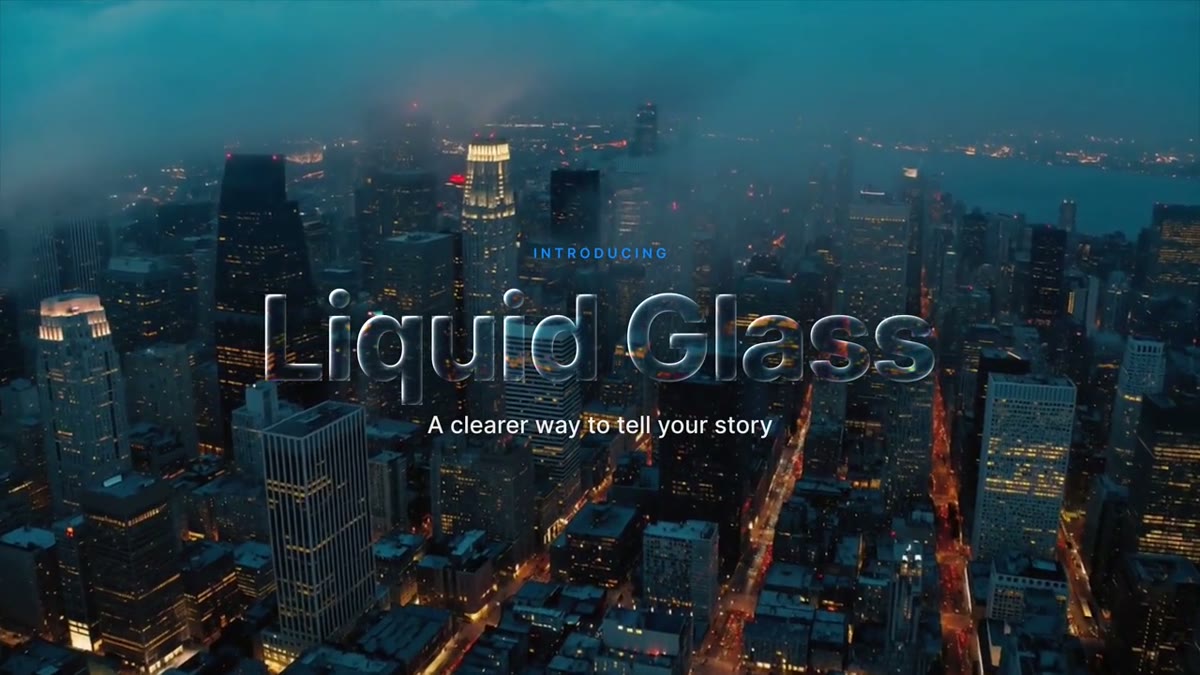
Frosted glass, the glassmorphism look from web design, is a blurred backdrop behind a pale panel. Apple's Liquid Glass works differently. The pane stays clear, and the shot behind it bends at the edge the way a thick lens bends light: straight lines curve and compress near the rim, the middle is magnified slightly, colors split into thin red and blue fringes where the glass bends hardest, and a fine highlight runs along the edge that faces the light.
A semi-transparent box with a blur can't do any of that, because it never moves a pixel of your footage. These templates do. The bend comes from a map of the glass surface, and the fringes and the highlight read the same map, so all three always line up.
How glass works in Premiere: the Background clip slot
Premiere renders a motion graphics template on its own, as if on an empty canvas, so a template can't see the clip on the track below it. Any glass template made for Premiere needs a way to get your footage in. Ours have a Background clip slot:
- Put your shot on V1 and the glass template on V2.
- Select the graphic and drag the same clip from the Project panel onto Background clip. Dragging from the timeline or the Media Browser doesn't work.
- Match the in point: park on the graphic's first frame, select the V1 clip and press F, then mark In with I and make a subclip with Cmd/Ctrl+U. Drag that subclip onto the slot.
Outside the glass the template is transparent, so your real shot shows through. At the template's own 10 second length the slotted copy stays frame-accurate with the shot underneath. Leave the slot empty and the template switches to smoked glass, a solid, readable panel. A short how-to comes with every download.
Start with the free Liquid Glass Pill
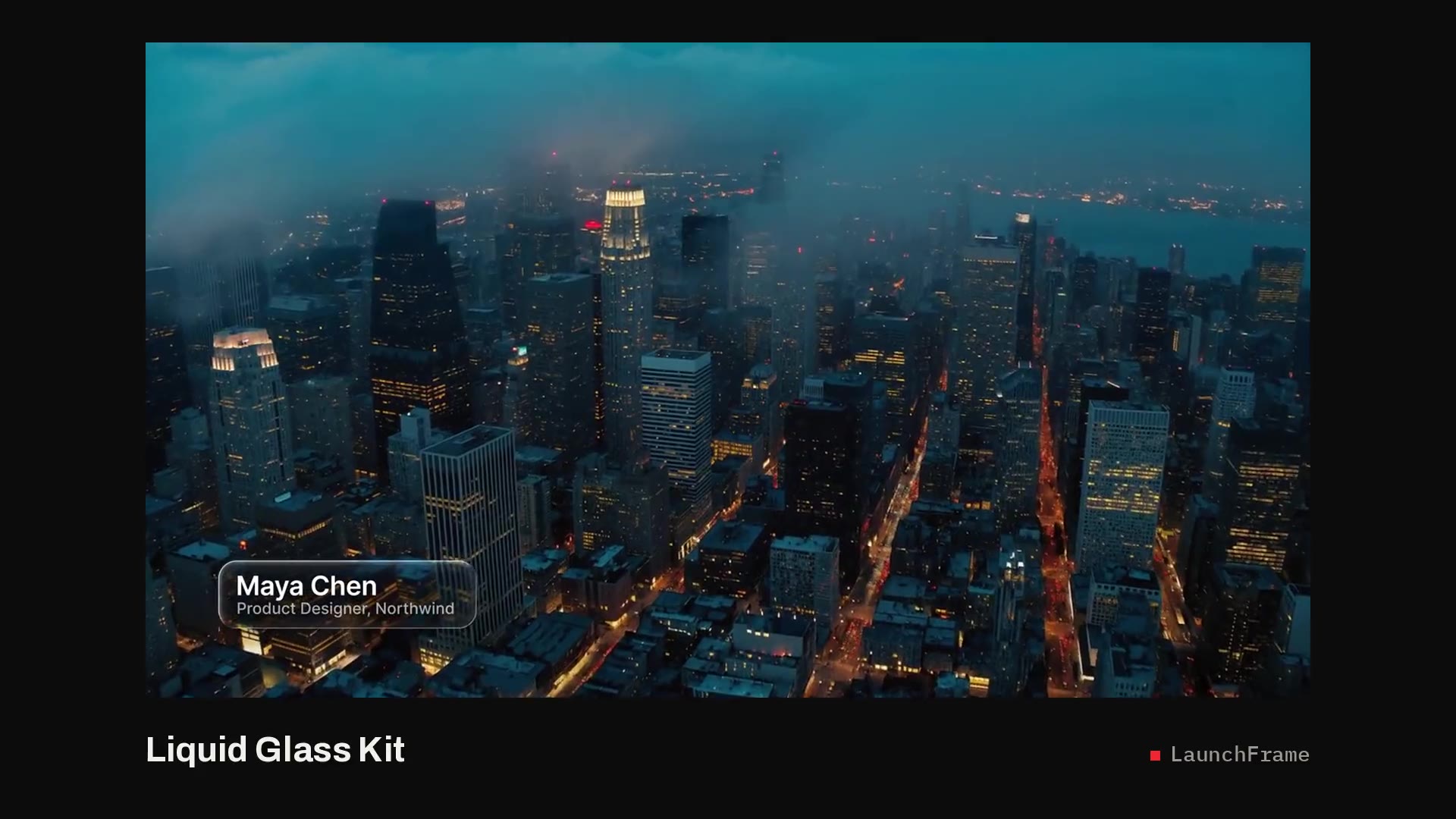
The Liquid Glass Pill is a one-line lower third: name and role side by side in a clear glass capsule, split by a hairline divider. It's made for interviews and podcasts, where the graphic should stay low and out of the way. The capsule grows from a droplet, widens to fit your text and bends the shot under it at the rim.
It's one of the 13 templates from the kit, not a cut-down sample, and it's free with your email. You get the Premiere Pro .mogrt, the 4K After Effects project with the full glass setup, and the Inter font files (free, SIL Open Font License). The license matches the paid packs: personal and client work, monetized videos included, but no reselling or sharing the files.
What the full kit adds
The Liquid Glass Kit puts the same glass on 13 templates:
- Lower thirds: Name and Title, the Pill, a Two-Line version where the title capsule drips out of the name, and an Icon version with your initials, a logo or a photo.
- Titles: a Headline where the letters themselves are glass, a Chapter card, a Quote card and a Card with a play disc.
- Social: a phone-style Notification, a New Video callout and a Subscribe toast whose button gets pressed.
- Vertical: 9:16 versions of Name and Title and the Card for Shorts, Reels and TikTok.
Every one has the Background clip slot and sizes itself to your text. In After Effects, one style control restyles all 13 at once. The kit is $39, or included with every other pack in LaunchFrame Unlimited.
Dialing the glass to your shot
- Give it detail to bend. Lensing shows over lines and texture: a skyline, a lit room, foliage. Over a flat wall the glass has little to work with, so raise Opacity and let the tint carry the text.
- Frost (0 clear, 100 frosted) blurs what's behind the glass. Raise it on busy shots, or to hide small drift if you stretch the graphic past 10 seconds.
- Opacity (0 clear, 100 solid) turns the clear pane into a tinted panel when the text needs more contrast against a bright or busy shot.
- Color separation (0 none, 100 strong) sets the red and blue fringes at the rim. Lens zoom, Edge width, Refraction and Rim light are in the same panel.
- Dark mode switches between a dark pane with white text and a light pane with dark text.
- Playback: the glass bends the whole slotted clip at 4K, so set playback resolution to 1/2 or 1/4 while you edit and render previews over the graphic. Color separation and Frost at 0 make previews faster.
You need Premiere Pro 2023 or newer, or After Effects 2023 or newer for the project. No plugins.