How the template works
The Subscribe Button is a single clip. Drop it on a track above your footage and edit it in Premiere's Essential Graphics panel:
- Button text and Clicked text: SUBSCRIBE and SUBSCRIBED by default. Change them to FOLLOW and FOLLOWING, JOIN and JOINED, or SIGN UP and YOU'RE IN. The button resizes to the words.
- Colors: text, panel and accent, so the button can match your channel instead of the default red.
- Animation length, position and scale, so it fits any corner at any size.
Trim the clip to however long you want it on screen. The pop-in, the click and the exit sit in protected regions, so they play at full speed whatever the length.
When to show it
A subscribe prompt works best after you've given the viewer something. Placements that tend to work:
- After the first payoff. Once the hook has paid off or you've delivered the first useful tip, viewers have a reason to say yes. In the first ten seconds, they don't.
- At a natural pause. Between sections, just before a chapter title, or when you ask the audience a question.
- Once or twice per video. More than that starts to feel like an ad break. Save the last ask for the end screen.
Say it and show it together. The cursor clicks about 1.3 seconds after the clip starts, so place the clip just over a second before you say subscribe and the click lands on the word. If you want it to pop, add a click sound from your own library on that frame.
Placement and size
- Bottom third, open side. Put the button low in the frame on the side away from your face, inside title safe, at least 5% from the edges.
- Clear of captions. If you burn in captions, lift the button above them or move it to the side.
- Not under your end screen. If you use a YouTube end screen, keep the animation out of that stretch. YouTube's own subscribe element sits there, and it's the one people can click.
- Scale to the footage. Over a talking head at a desk, a modest button reads fine. Over fast gameplay or action, scale it up and hold it a little longer.
- Balance the frame. If your lower thirds sit bottom left, put the button bottom right, so graphics don't pile up on one side of the screen.
An animated button isn't clickable
A graphic inside your video can't be clicked. It's a visual cue that backs up what you say. The clickable options live in YouTube itself: the subscribe element on your end screen, and the video watermark you can set in YouTube Studio, which desktop viewers can use to subscribe. Use them together: the animation prompts, and the watermark and end screen take the click.
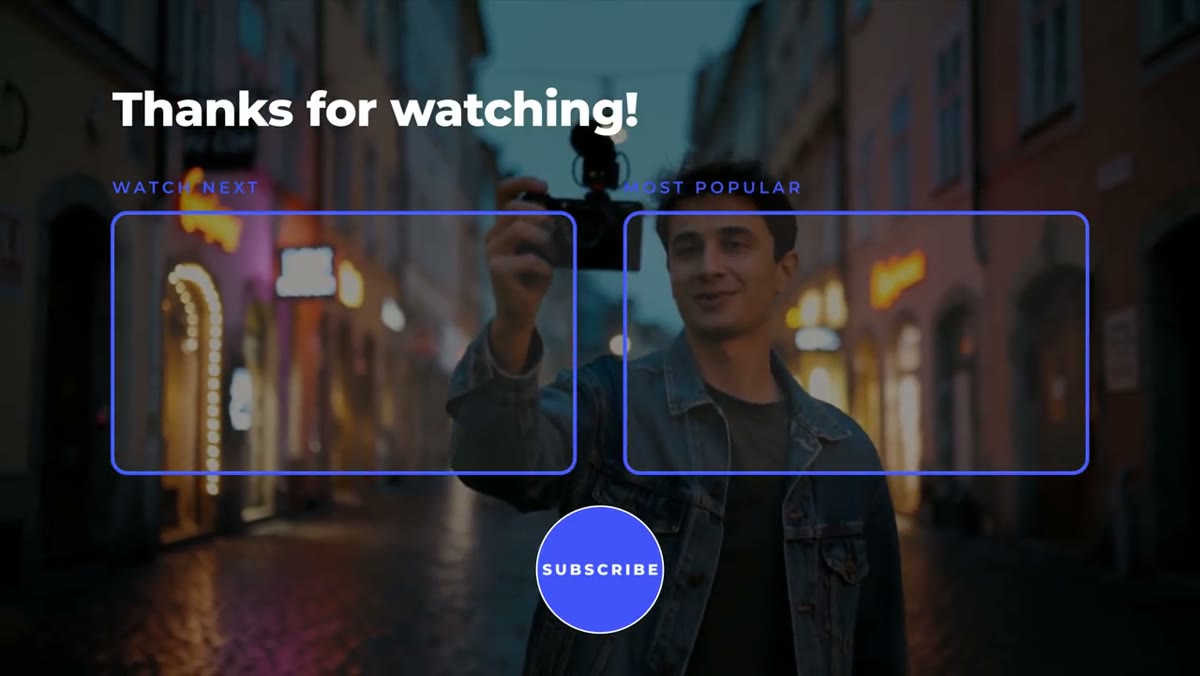
At the end of the video, the End Screen template lays out two video slots and a round subscribe slot positioned for YouTube's end screen elements, so the real button lands where your design expects it.
Beyond YouTube
The words are yours, so the same template works as a Twitch follow prompt, a newsletter sign-up in a course video or a Join button for a membership. For showing your handle on other platforms, the free Social Handle pill types your @name in and sizes itself to fit.
The Subscribe Button is part of the Creator Pack, $39 for all ten Creator templates plus the free Social Handle. It ships as a Premiere Pro .mogrt and a 4K After Effects project, with the Montserrat font included and no plugins.