13 templates · 4K · Premiere Pro & After Effects
Liquid Glass Kit
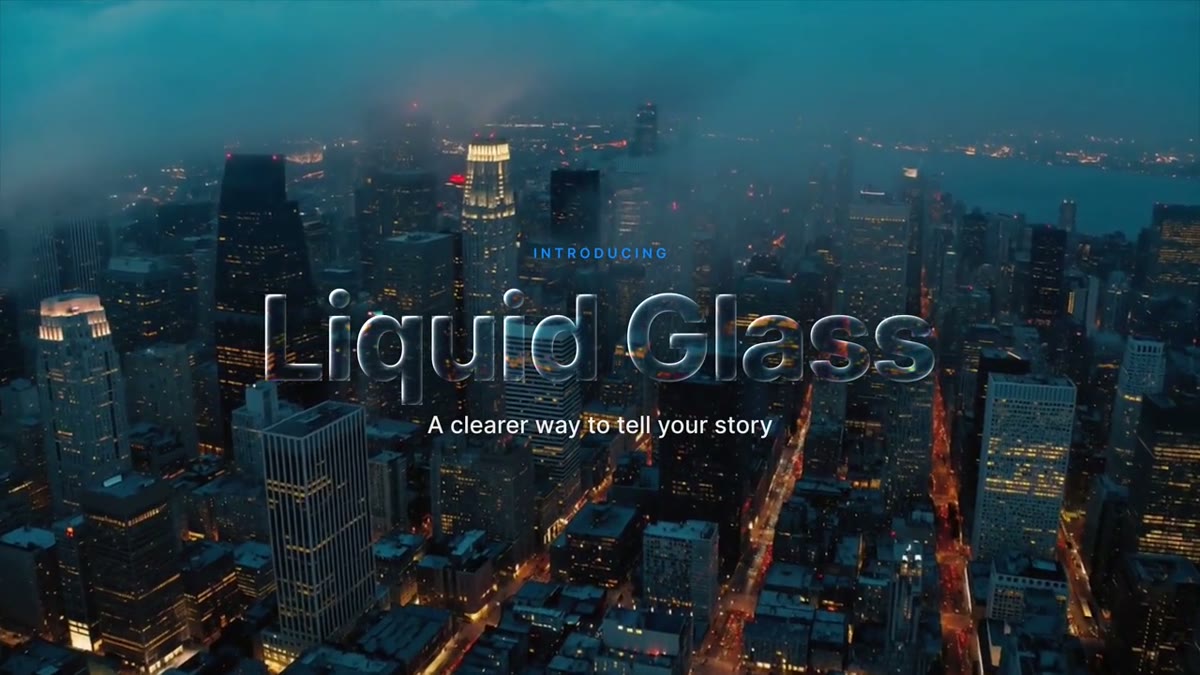
Thirteen clear-glass graphics that bend, magnify and light the shot behind them: lower thirds, titles, a quote card, social callouts and two 9:16 versions.
$39 13 templates
Instant download after checkout. Secure payment by Stripe.
In your library
Download in your libraryAll 13 templates in the Liquid Glass Kit, ready to download.
The Liquid Glass Pill is free on its own: get it with your email.
Own this pack forever for $39, or get every pack with Unlimited for $9/month.
Premiere renders a template on its own, so the glass can't see the clip under it. Drop the same clip into the template's Background clip slot and the glass bends that. Leave the slot empty and you get smoked glass. How the Background clip slot works




Guides for this
- How to use glass templates in Premiere ProGlass templates in Premiere need the clip in their Background clip slot: why, how to fill it, match the in point, trim safely and keep playback smooth.
- How to make Apple's Liquid Glass effect in After EffectsBuild Apple's Liquid Glass look in After Effects from built-in effects: a height map, Displacement Map lensing, per-channel color fringes and a rim light.
- Free lower third templates for Premiere ProFour free lower third templates for Premiere Pro, including a liquid glass pill. Each is a .mogrt plus a 4K After Effects project, free for client work.
- A glass lower third that actually frosts the videoA glass lower third for Premiere Pro that blurs, brightens and saturates your shot through its Background slot. Frost and tint controls; fits your text.
- Liquid glass templates for Premiere ProApple-style liquid glass in Premiere Pro: a free Liquid Glass Pill and a 13-template kit that bend your real footage. 4K, no plugins, Premiere 2023+.
- Animated title templates for Premiere ProAnimated Premiere Pro titles as .mogrt files: a light sweep reveal, a glitch decode, a chapter card and glass letters. Type your text and drop it in.